
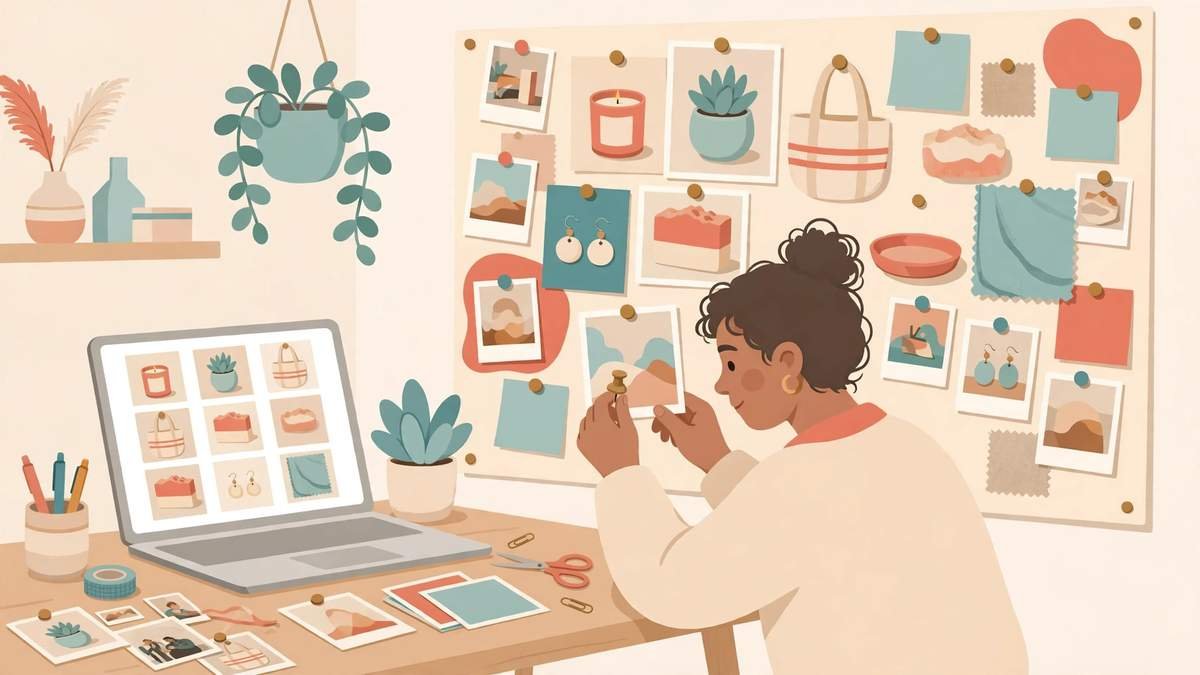
Pinterest marketing for small business beginners starts with one free step: a business account. It costs nothing, unlocks analytics and the Trends tool, and turns your photos, posts, and offers into Pins people can save, search, and click for months — not hours.
Unlike Instagram or Facebook, Pinterest is a visual search engine. People come to plan a purchase or a project, and a good Pin can keep sending traffic long after you publish it. This guide covers the setup, the boards, the first Pins, and the habits that grow a small business account.
Pinterest marketing for small business beginners at a glance
- Cost: a business account is free; you only pay if you run ads.
- First step: business account, then claim your website.
- Pin size: vertical 2:3, for example 1000 x 1500 pixels.
- Title: up to 100 characters; only the first 40 show.
- Description: up to 800 characters, keywords near the start.
- What works: helpful Pins linked to real pages.
Pinterest marketing for small business beginners: the 7-step setup
1. Create a free business account
A business account is a public profile with measurement and ads. Pinterest charges nothing to create or convert one, fill in your profile, claim a website, create boards, or publish Pins. You only pay if you later choose to run ads, and you set that budget yourself.
Two paths: create a new business account on desktop if the email is not already tied to Pinterest, or convert a personal account and keep its Pins and followers. A private account must go public first. Start at the Pinterest business hub.
2. Complete your profile
Use your business name, a clear logo or photo, and a short description of what you do and who it helps. Add your location if you serve a local area. Pinterest shows a complete profile beside every Pin saved from your site once it is claimed.
3. Claim your website
Claiming proves you own your domain and unlocks catalogues and website analytics. Pinterest offers verification by HTML tag, HTML file, or DNS TXT record. One website can be claimed by one account, and you must own the domain and be able to edit it. You cannot claim most stores hosted on marketplaces such as Etsy, eBay, and Amazon, because you do not control their source code. See the official instructions on Pinterest help.
4. Create 5 to 10 boards with keyword-rich names
Boards are collections of Pins, and their names work like search terms. Instead of “My stuff”, use names your customers would type: “Small living room ideas” or “Easy weeknight dinners”. Add a board description with the same keywords. Start with 5 to 10 boards that match what you sell, each with a cover image and a few Pins.
5. Publish your first 10 Pins
A Pin needs a tall vertical image, a clear title, and a link to a useful page. Pinterest recommends the 2:3 format, for example 1000 x 1500 pixels. Keep the title under 100 characters and put the important words first, since only about the first 40 show in the feed. Use the description, up to 800 characters, to say what the reader gets and add two or three keywords naturally.
Link every Pin to a real page: a product, a blog post, or a service page. Publish your first 10 Pins from work you already have — product photos, blog images, or offers — before you worry about ads or a scheduler. This Pinterest business account guide shows the setup order: account, claim, boards, first Pins, then ads.
6. Use Pinterest SEO and the Trends tool
Pinterest is a search engine, so keywords matter. Put your main keyword in the Pin title, the first line of the description, and the board name. The Trends tool, free for business accounts, shows the most frequent searches, saves, and shopping trends going back up to two years, including seasonal patterns. Check it before you plan content: a rising search term today is a Pin that can rank for months.
Fresh Pins beat re-pins: make two or three different images for each important page instead of saving the same one again.
7. Post steadily, then check analytics
Pinterest rewards consistency: one good Pin a day beats twenty once a month. Business accounts get Pinterest Analytics, which shows impressions, saves, clicks, and which Pins send traffic to your site. Check it weekly and make more of what gets saves and clicks. Ads are optional and can wait — a complete profile, a claimed website, boards, and your first Pins are enough to start. This Pinterest growth guide explains how to grow step by step.
Free vs paid on Pinterest
| Feature | Cost | What you get |
|---|---|---|
| Business account | Free | Analytics, Trends, Business Hub |
| Claim website | Free | Profile on your Pins, site analytics |
| Publish Pins | Free | Unlimited organic Pins and boards |
| Product Pins | Free | Products listed, no commission |
| Rich Pins | Free | Extra detail from your site |
| Ads | Paid | Promoted Pins, budget you set |
Pinterest says it is free to put your products on the platform, charges nothing to add products, and takes no commission on what you sell. You only pay if you run ad campaigns. Read the full steps in this guide to selling on Pinterest.
What should a small business pin?
Pin what your customers are already searching for. A bakery can pin recipes and cake designs. A freelancer can pin portfolio pieces and how-to posts. A shop can pin gift guides and styling ideas. Every Pin should answer a question, then link to the page that does it.
That question is at the heart of Pinterest marketing for small business beginners.
Video Pins work well too. A 15 to 60 second clip — a product in use, a quick tutorial — often earns more saves than a still image. If you need an editor, our guide to the best free video editing software for beginners with no watermark shows five that cost $0.
Re-pin other people’s content sparingly. Your boards should mostly show your own work, because that is what brings visitors to your site.
5 beginner mistakes to avoid
Posting without a link. A Pin with no working link is a dead end. Check every link first.
Using horizontal images. Wide images get cropped small. Use vertical 2:3 every time.
Keyword stuffing. Repeating the same phrase ten times looks like spam. Use keywords once or twice, naturally.
Buying engagement. Pinterest prohibits buying interactions and can restrict your account. Grow slowly instead.
Quitting after two weeks. Pins take time to spread, so give it at least two months of steady posting. This Pinterest business account setup guide covers the same patient, free-first approach.
Frequently asked questions
Is Pinterest marketing for small business beginners free?
Yes. Pinterest marketing for small business beginners is free to start: the business account, analytics, Trends tool, boards, and organic Pins all cost nothing. You only pay if you run ads.
Do I need a business account to market on Pinterest?
Yes, for the tools that matter. A business account is free and gives you Analytics, the Trends tool, website claiming, and the option to run ads. You can convert a personal account without losing your Pins or followers.
How many Pins should a beginner post per day?
Start with one good Pin a day. Consistency matters more than volume.
What size should Pinterest Pins be?
Use vertical 2:3, for example 1000 x 1500 pixels. Tall images take up more space in the feed. Avoid wide images.
How long does Pinterest marketing take to work?
Expect at least two months of steady posting before you judge the results. Pins can keep ranking and sending traffic for months after you publish them.
Can I sell products directly on Pinterest?
Yes. Set up a free business account, claim your website, and add your products as product Pins through a catalogue or product markup. Shoppers click and buy on your site, and Pinterest takes no commission.
Final verdict
Pinterest marketing for small business beginners is one of the cheapest ways to win search traffic: the account is free, the tools are free, and a good Pin can work for months. Set up the account, claim your website, build 5 to 10 keyword-rich boards, and publish your first 10 Pins.
Then keep going: one useful Pin a day, keywords in the title, and a working link on every Pin. Check analytics weekly and give it two months before you decide whether Pinterest marketing for small business beginners is working for you.